
The info tab puts the headline in context: it names the subject before readers reach the headline itself. The headline no longer has to carry that context and can be shorter and sharper. It follows a long-established pattern: the kicker in journalism, the overline or eyebrow text in digital design – a short lead-in that gives readers the keyword they scan for. Visually, it works much like a browser tab.
Content: short terms such as product names, categories, medical conditions or occasions (“Competition”). No sentences, no repetition of the headline.
Use: optional. Useful when the headline does not name the subject itself, or when the content should be assigned to a series, campaign or product line. Not needed when the headline is already clear.

Structure


General rules
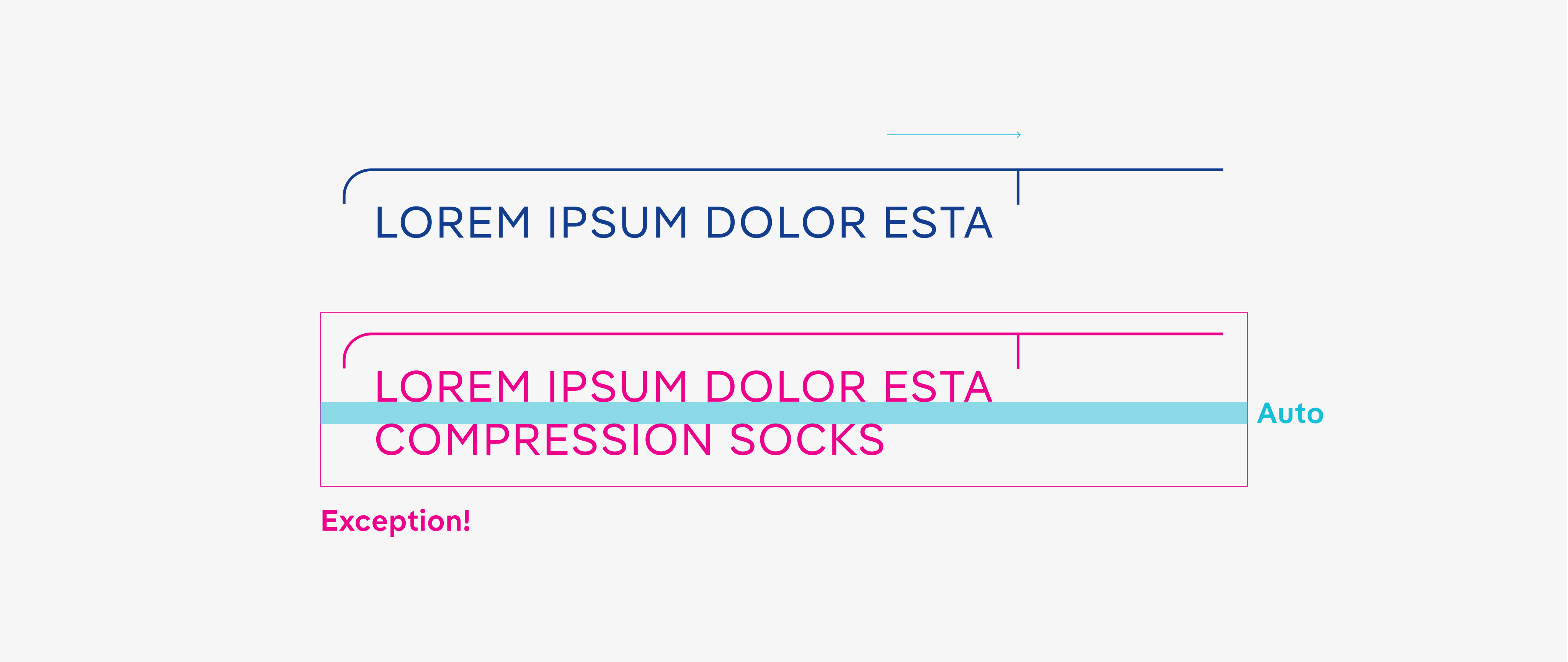
The info tab may only exceed the headline by a maximum of one M-width.

Two lines of text are only permitted in the info tab in exceptional cases.
Registered product names should only be written in their registered form.

Only one info tab may be used per page.

In general, the info tab should only be used in conjunction with a headline. However, if the content continues to subsequent pages where the headline is no longer visible, a standalone info tab can serve to maintain continuity. When used in this way, it should be positioned at the top left, aligned directly with the margin.

The URL on the title page should have the same typography as the text in the info tab.
