
When images, video or audio have been created or altered with artificial intelligence, we label this clearly and directly in the content. We use the official icons of the European Commission in Bauerfeind colours. A complete label consists of three elements:
- AI badge: stays on screen for the entire content.
- Text notice: says in plain words what was created with AI.
- Spoken notice: only for videos with sound, at the beginning.
When to label
Always label content when AI-generated or AI-altered images, videos or sounds could appear real. This applies in particular when real people, places or products can be seen or heard.
- Legal basis: Art. 50 AI Act, in force since 2 August 2026. The EU icons themselves are voluntary, but labelling is mandatory.
- Platforms: Also set the platform’s own AI label when uploading: the “AI-generated” toggle on TikTok, “AI info” on Instagram and Facebook, and the “altered or synthetic content” disclosure on YouTube.
- If in doubt: check with the legal department.
Use cases
| Use case | Badge | Text notice |
|---|---|---|
| AI voice (voice-over, dubbing) | AI GENERATED | Voice generated with AI |
| Image fully generated with AI | AI GENERATED | Image generated with AI |
| Video fully generated with AI | AI GENERATED | Video generated with AI |
| AI person / avatar | AI GENERATED | Person generated with AI |
| AI music / sound design | AI GENERATED | Music generated with AI |
| Real image altered with AI (e.g. background, retouching, face) | AI MODIFIED | Image edited with AI |
| Real video altered with AI | AI MODIFIED | Video edited with AI |
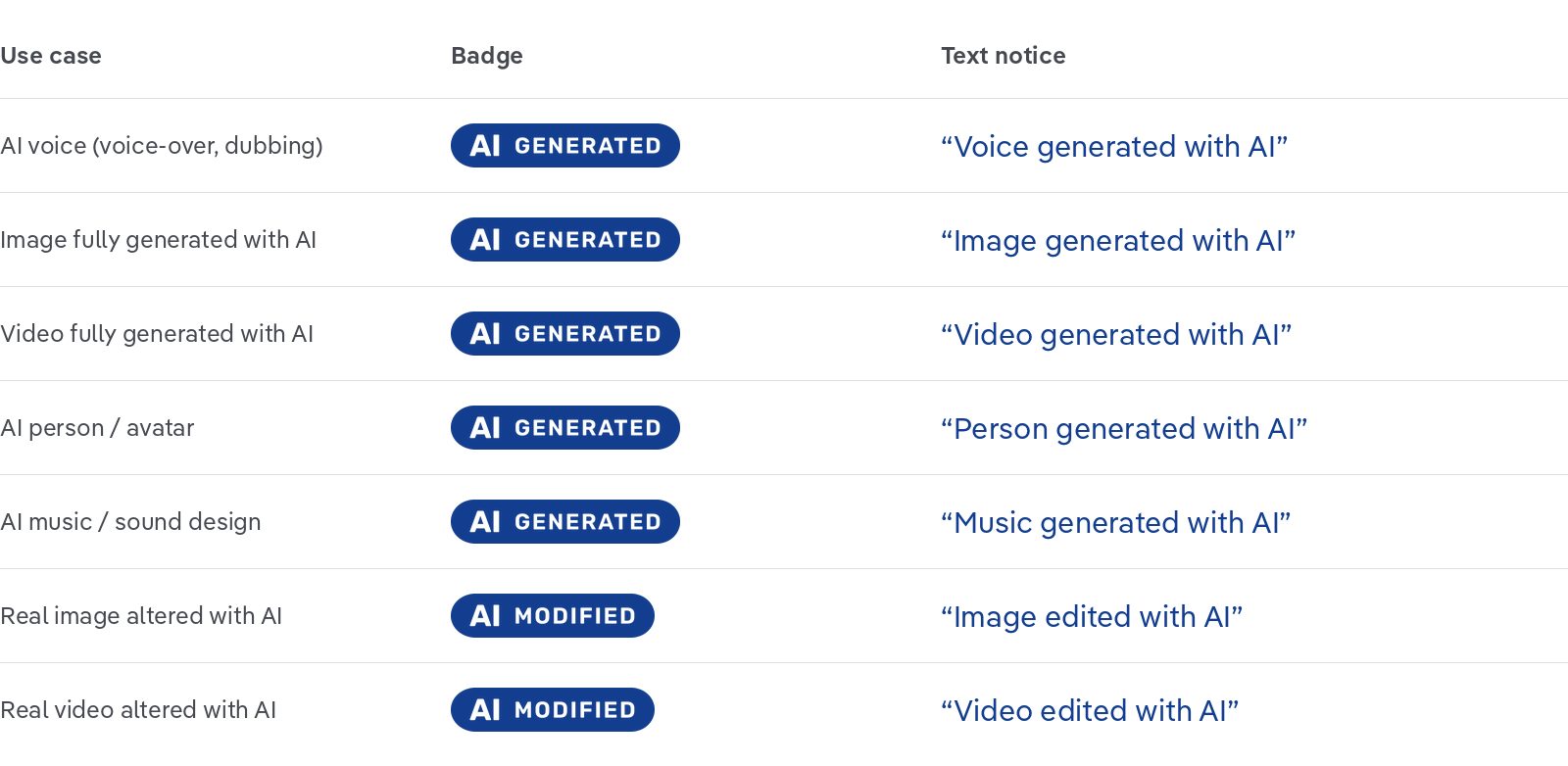
- Which badge? “AI GENERATED” is for elements created entirely with AI. “AI MODIFIED” is for real footage that has been altered with AI.
- Basic “AI” icon: use only if there is not enough space for the long badge. The text notice is then mandatory.
- Text notice: always name what was created with AI, e.g. voice, image or person. This makes it clear, even in a real video, that only the voice is artificial, for example.
- Language: The text notice is in the language of the content, e.g. DE “Stimme mit KI erzeugt” or ES “Voz generada con inteligencia artificial”.
AI badge
- Style: solid colour with the lettering knocked out (transparent). No semi-transparent versions.
- Duration: for the full length of the content, visible from the first frame (fade-in max. 10 frames).
Colours
| Colour | Use |
|---|---|
| Blue #133E8F | on white and light brand areas |
| Black #1D1D1B | on light image areas |
| White | on moving images and dark areas |
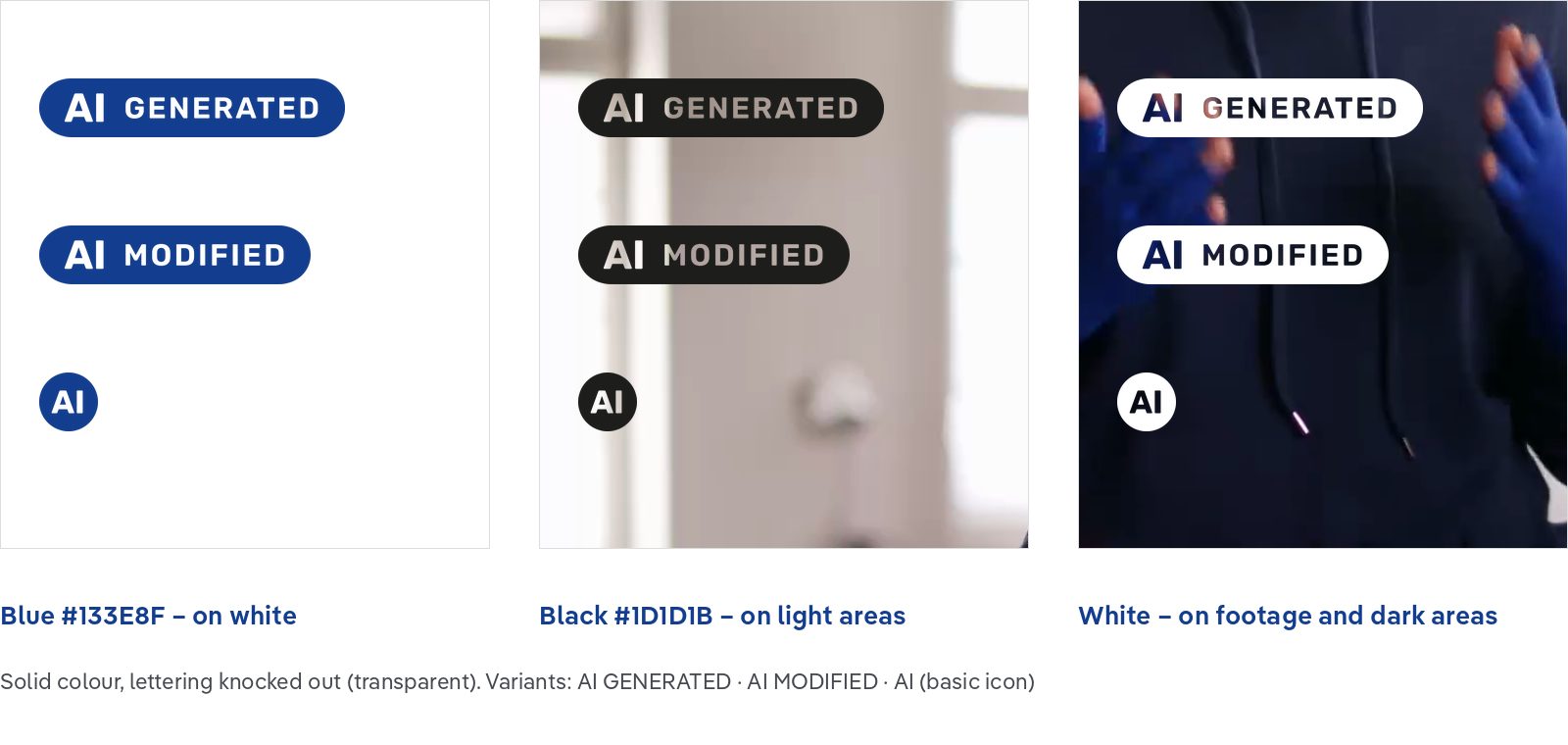
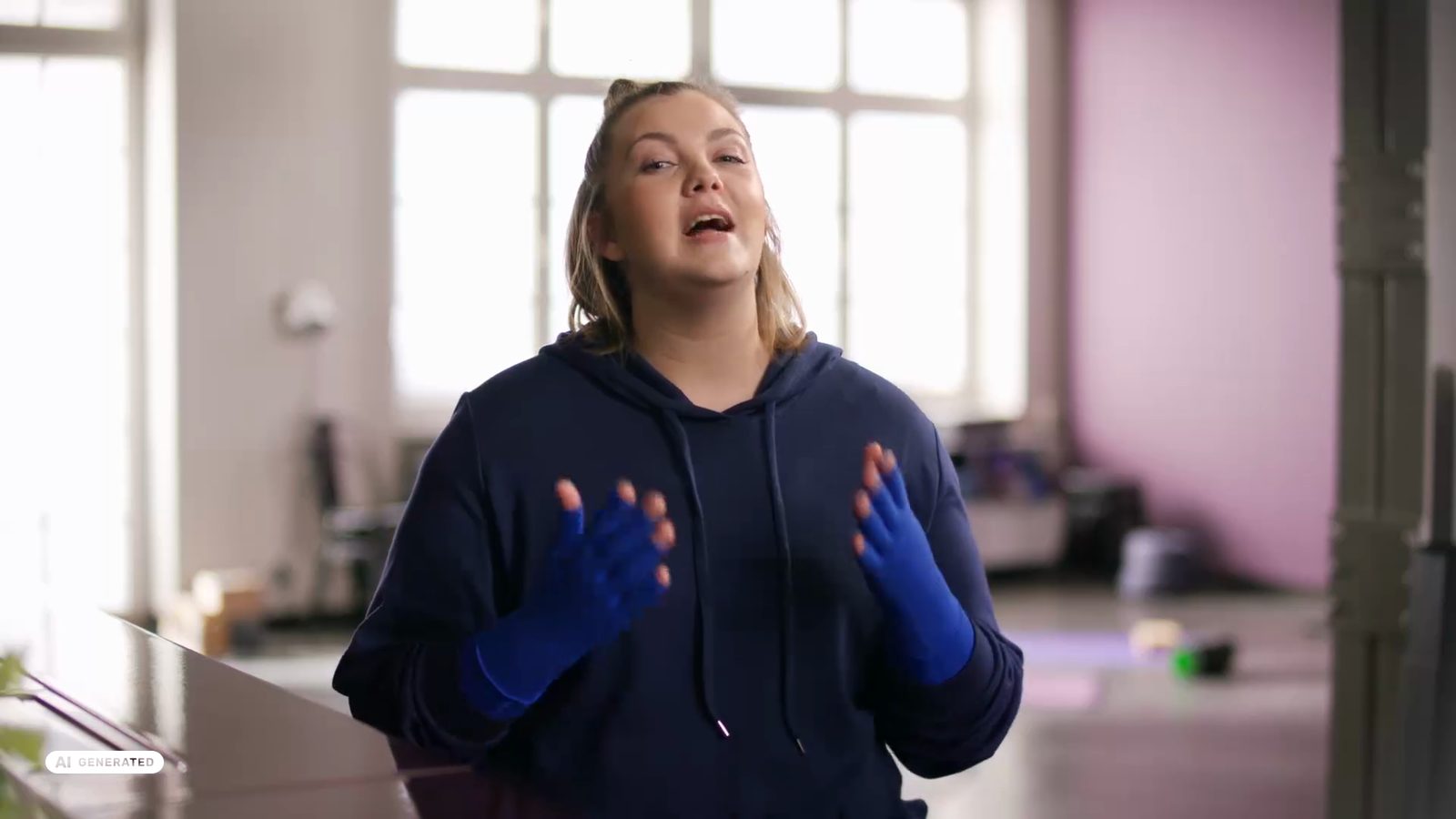
Legibility: The colour depends on the background at the badge position. Check the entire clip. If the brightness changes, change the colour with the cut or transition, max. 10 frames.
Size and position
| Format | Pixels | Badge height | Position |
|---|---|---|---|
| 16:9 | 1920 × 1080 | 30 px | bottom left, 60 px from the left and bottom edges |
| 9:16 | 1080 × 1920 | 45 px | top left, 60 px from the left edge, 270 px from the top edge |
| 1:1 | 1080 × 1080 | 45 px | top left, 60 px from the left and top edges |
| 4:5 | 1080 × 1350 | 45 px | top left, 60 px from the left and top edges |
In 4K, all values are doubled.
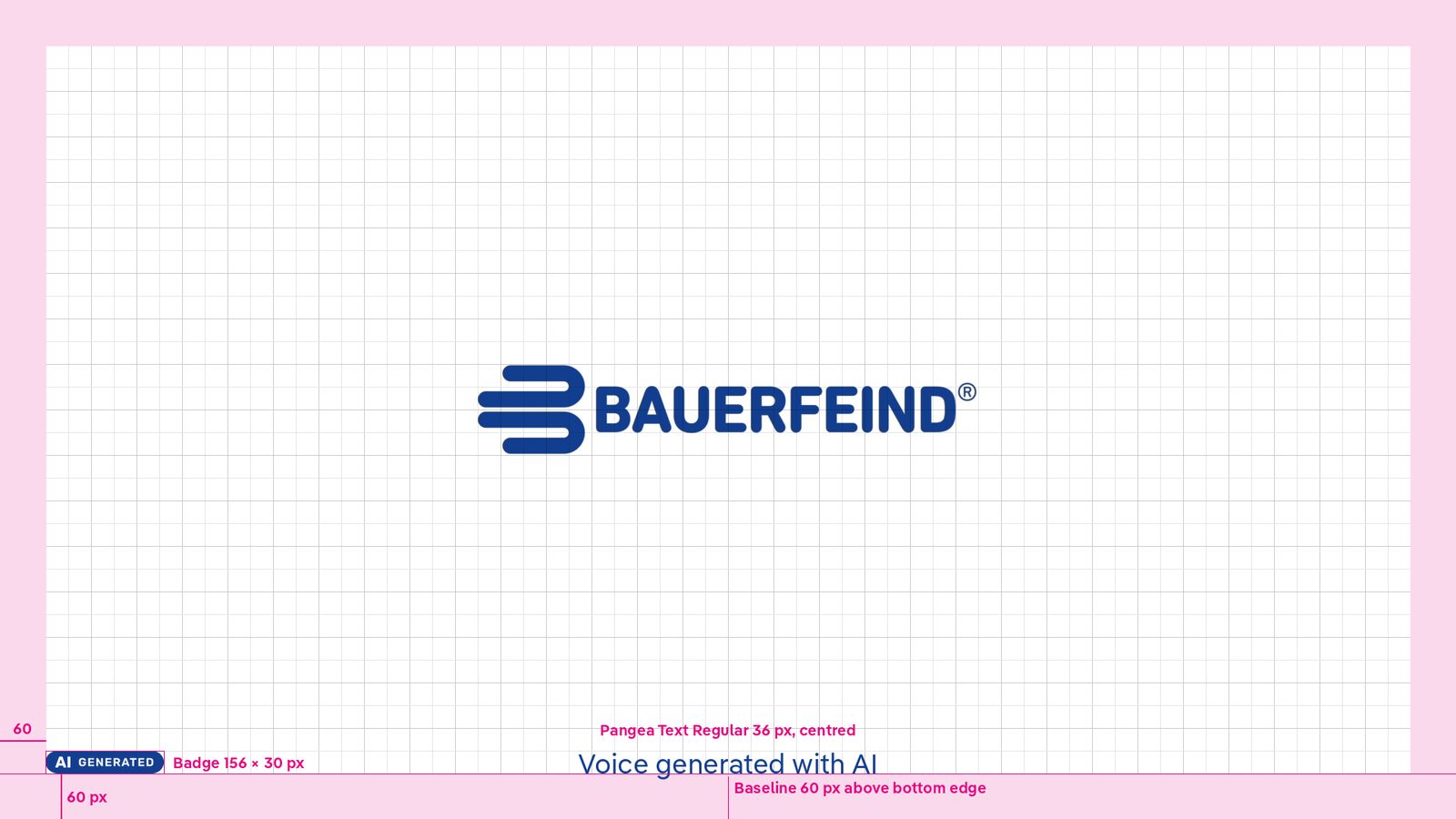

- Social formats: The badge is larger because these formats are displayed smaller on smartphones.
- Top instead of bottom: On Reels, TikTok and Shorts, the caption, profile name and controls sit at the bottom. That is why the badge is placed top left.
- 9:16, 270 px from the top: This keeps the badge below the controls of all platforms and clear of the Bauerfeind corner bug at the top right.
Text notice
- Font: Pangea Text Regular, 36 px
- Colour: same as the badge, i.e. blue on white and white on footage
- Position: centred horizontally
| Format | Baseline above the bottom edge | Note |
|---|---|---|
| 16:9 | 60 px | Same line as the bottom of the badge |
| 9:16 | 390 px | Position of the product mention |
| 1:1 and 4:5 | 180 px | Position of the subtitles |
- Duration: at the beginning only, at least until the spoken notice has ended. Without sound, at least 3 seconds.
- Fade in/out: max. 10 frames
- Overlaps: The text notice uses the same position as the product mention or subtitles, so do not show them at the same time.
- Wording: plain language, no jargon, no abbreviations except “AI”.
Spoken notice
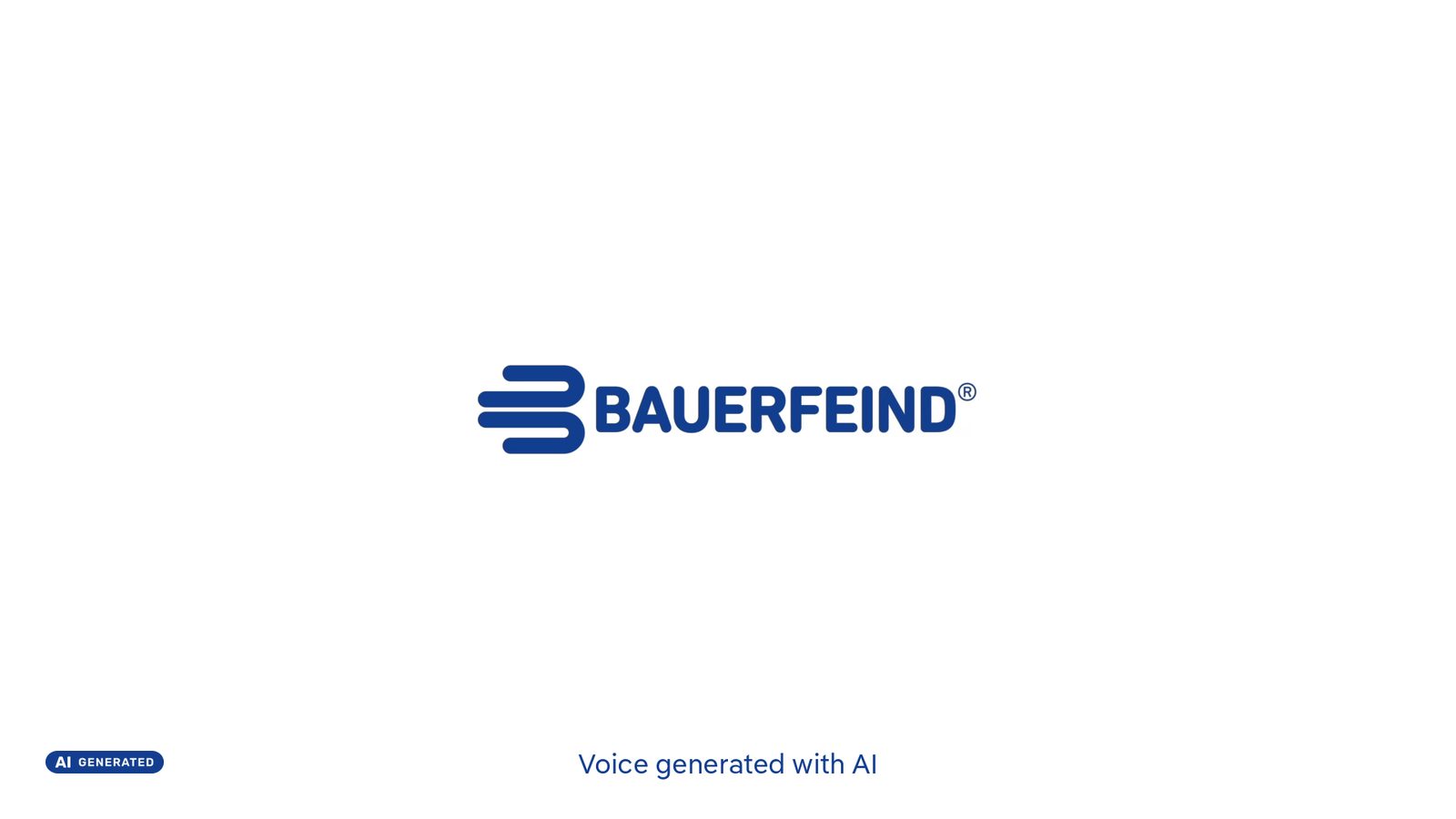
In videos with sound, a speaker or the AI voice states the notice at the beginning, for example: “This voice was generated with artificial intelligence.”
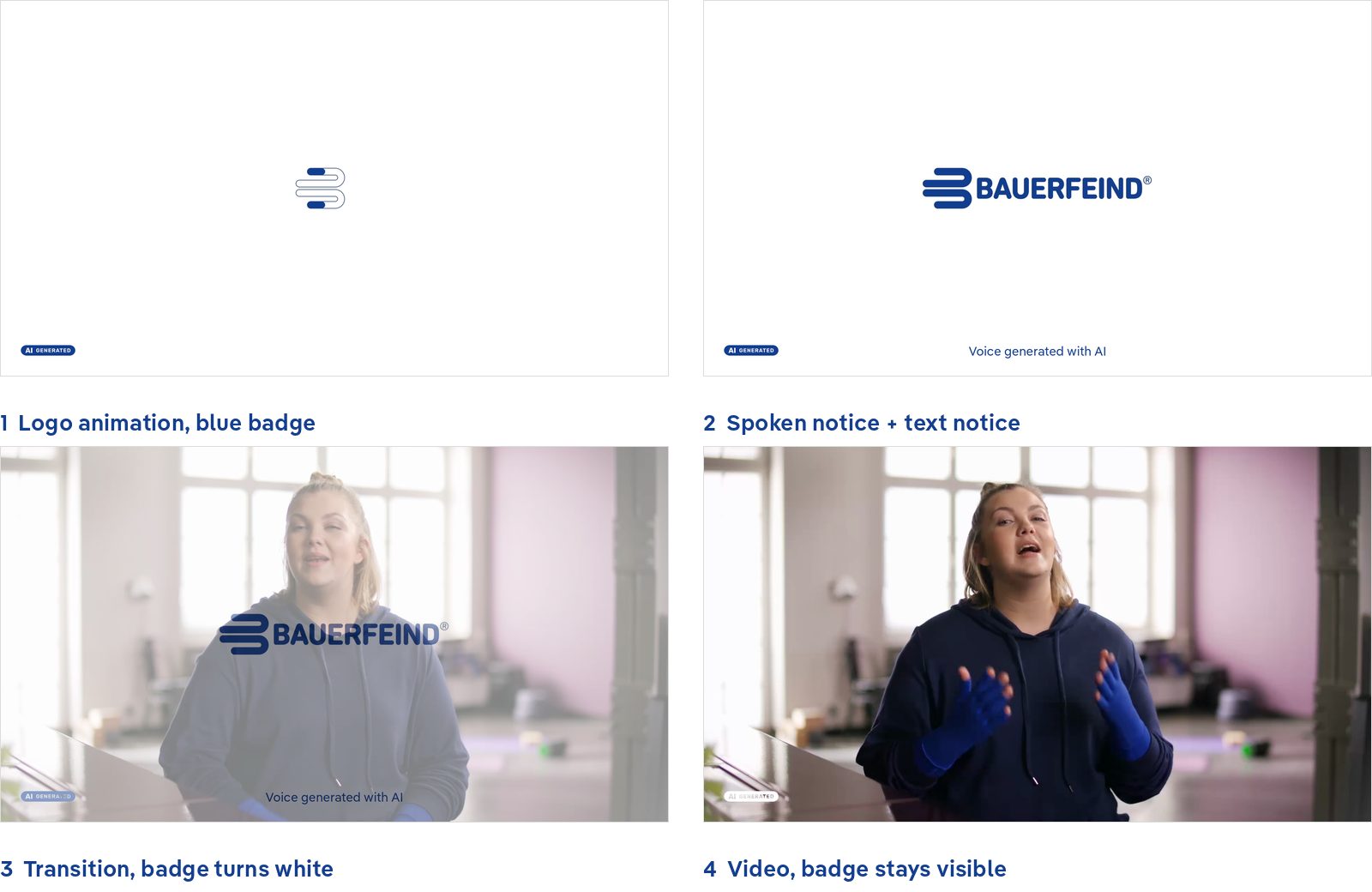
Structure of a 16:9 video with logo opener
- Logo animation: blue #133E8F on white, with the blue badge.
- Notice: After about 1 second, the spoken notice and the text notice follow.
- Transition to the video: 10 frames. The text notice fades out and the badge changes to white (or black on a light image).
- Video: The badge stays on screen until the end.
Social media: safe zones (9:16)
| Platform | Top | Bottom | Right | Left |
|---|---|---|---|---|
| TikTok | 130 px | 320 px | 120 px | 60 px |
| Instagram Reels | 210 px | 310 px | 84 px | 60 px |
| Instagram Stories | 250 px | 250 px | 60 px | 60 px |
| YouTube Shorts | 120 px | 300 px | 96 px | 60 px |
| All platforms | 250 px | 320 px | 120 px | 60 px |
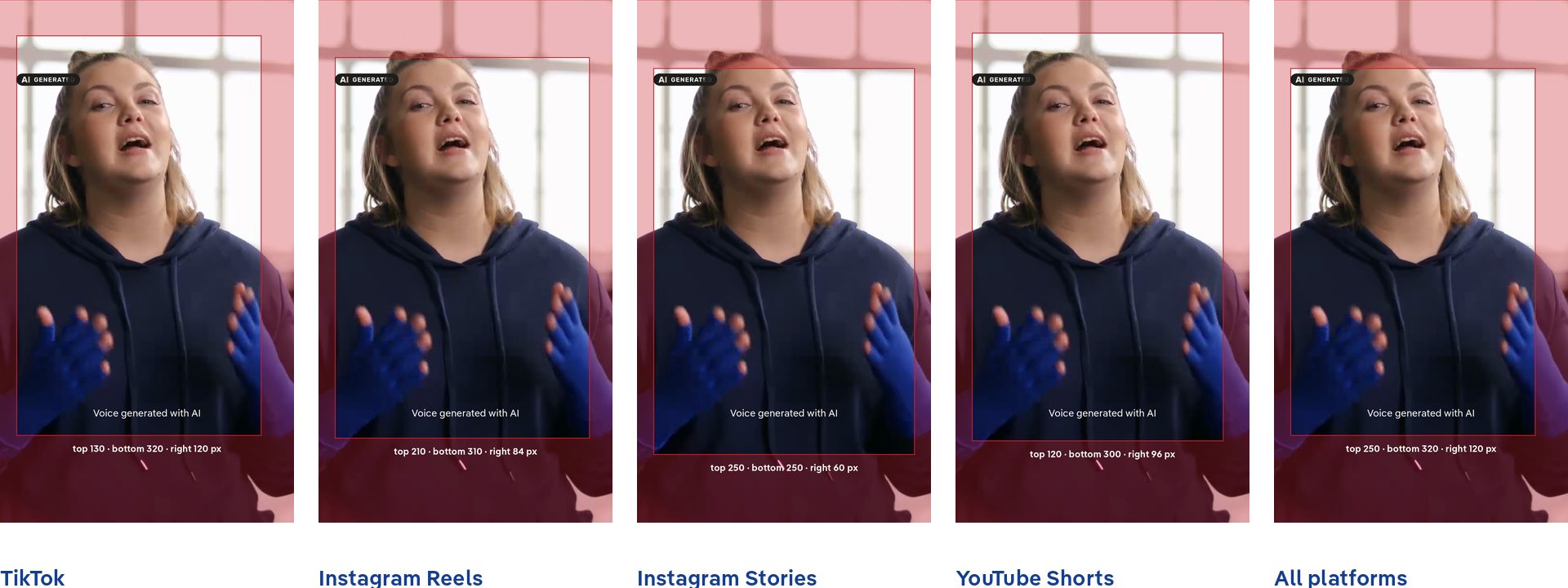
- Values: These are guide values and may change with app updates.
- Check: Check labels and texts against the safe zone templates before exporting.
- Ads: Paid ads add call-to-action buttons at the bottom (approx. 50–80 px).
Do’s
- Keep the label visible from the first frame
- Match the badge colour to the background and check legibility across the whole clip
- Use the text notice in the language of the content
- Also set the platform’s own AI label when uploading
- Keep the label in shortened, shared or reformatted versions
Don’ts
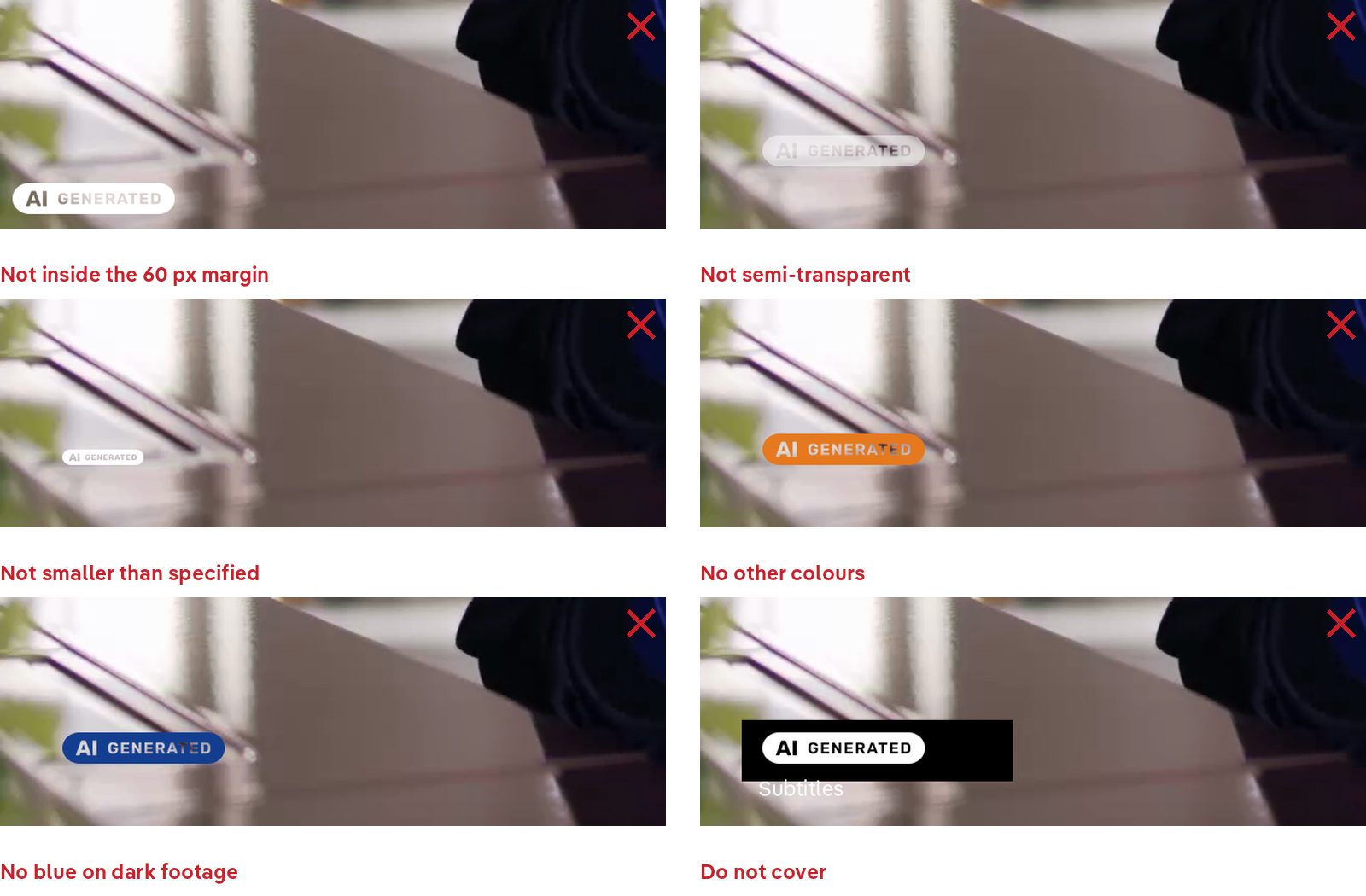
- Don’t place the badge in the 60 px margin
- Don’t use the badge semi-transparent
- Don’t use the badge smaller than specified (16:9: 30 px, social: 45 px)
- Don’t use the badge in other colours
- Don’t use the blue badge on dark images
- Don’t cover the badge, e.g. with subtitles, lower thirds or platform controls
- Don’t hide the badge in the middle of the content
Downloads
AI labelling toolkit
- Badges as SVG: AI GENERATED, AI MODIFIED, AI in blue, black and white
- Badges as PNG: 30, 45, 60, 90 and 120 px high
- Ready-to-use overlays (transparent PNG): for 16:9, 9:16, 1:1 and 4:5, badge in all colours and text notices (DE/EN) for all use cases
- Safe zone templates for 9:16: TikTok, Instagram Reels, Instagram Stories, YouTube Shorts, all platforms and the Bauerfeind elements